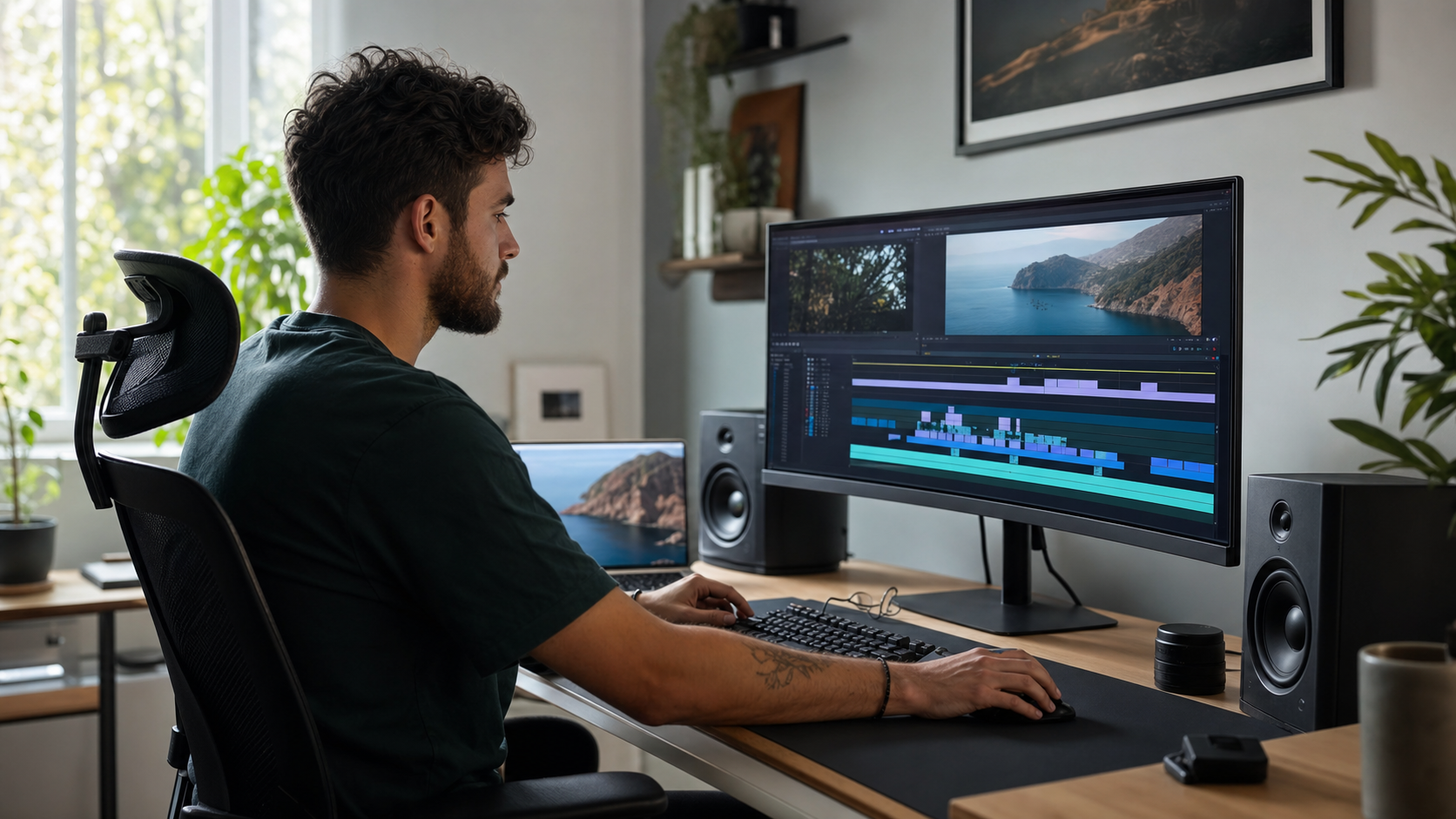
Best AI Video Generators Compared (2026): Sora, Veo, Kling, Runway & Pika
Two years ago, AI video generators produced flickering, anatomically confused clips that were impressive for thirty seconds and useless for anything real. That era is over. In 2026, several tools can produce clips that hold up in production contexts — short ads, social content, B-roll, and stylized sequences that would have required a full crew and a post-production budget not long ago. The hard question is no longer whether AI can make video. It is which tool makes the right video for your budget, workflow, and use case.
This comparison covers the tools that professionals and creators are actually debating in mid-2026: OpenAI Sora, Google Veo, Kling AI, Runway Gen-3, Pika, and Hailuo. We compare them on output quality, maximum clip length, free tier limits, watermarking, and specific use case fit. This is a fast-moving space — capabilities shift quickly, and any tool's details can change after publication. We focus on general positioning and verified patterns rather than pinning down exact version numbers. For broader AI tool comparisons, see our best AI tools comparison covering writing, research, and productivity.
At a Glance: Which AI Video Generator Should You Use?
For cinematic realism and motion physics, Sora leads — but it sits inside a ChatGPT subscription. Runway is the professional standard for teams that need editing suite features alongside generation. Kling delivers strong human motion realism at competitive pricing and is the value pick for social content. Pika is the fastest route to a shareable, stylized short clip. Veo is best accessed by teams already in the Google Cloud ecosystem. If you need free output with no watermark, options are limited across the board — most tools either cap quality severely or add branding on free tiers.
Quick-Pick Decision Guide
| Your Situation | Recommended Tool |
|---|---|
| Cinematic quality is non-negotiable, budget flexible | Sora or Runway |
| Social shorts at speed, stylized, low cost | Pika or Kling |
| Human subjects, character animation scenes | Kling or Runway Act-One |
| Professional production with editing suite integration | Runway |
| Enterprise / Google Cloud ecosystem | Veo (Vertex AI) |
| Cinematic quality on a tighter budget | Hailuo (MiniMax) |
If you are evaluating AI image tools alongside video generators, our best AI image generators comparison covers Midjourney, DALL-E, Imagen, and Flux in similar depth.
Quality and Motion Realism: How the Tools Actually Compare
Quality in AI video generation comes down to two things: per-frame visual fidelity and temporal consistency (how smoothly and logically objects move between frames). Sora and Runway Gen-3 Alpha lead on both dimensions for photorealistic content. Kling is competitive on human motion — characters walk, turn, and interact with fewer artifacts than most competitors. Pika prioritizes speed and stylization over strict realism. Veo produces high-quality output but remains less accessible than the others for most creators. Hailuo punches above its price point on cinematic scenes. All of these tools can produce something impressive with a well-crafted prompt; the gap shows up in consistency at scale and in handling complex motion.
Full Comparison Table
| Tool | Quality / Realism | Max Clip Length (approx.) | Free Tier | Watermark on Free | Best For |
|---|---|---|---|---|---|
| Sora | Cinematic, strong physics | Up to ~20 sec (varies by plan) | Limited via ChatGPT Plus | Yes (Plus) | Cinematic scenes, realistic motion |
| Veo | Very high, strong temporal consistency | Up to ~60 sec (Vertex AI) | VideoFX waitlist / Vertex API | Varies by access method | Enterprise, Google Cloud workflows |
| Kling AI | Strong, especially human motion | Up to ~3 min (paid) | Daily free credits | Yes (free tier) | Social content, character scenes |
| Runway Gen-3 | Professional-grade, fine control | Up to ~10 sec per generation | Limited free credits on sign-up | Yes (free) | Film/ad production, editing suite users |
| Pika | Good, strong stylization | Up to ~10 sec | Yes — generous free tier | No watermark on paid; free varies | Short-form social, stylized clips |
| Hailuo (MiniMax) | High, cinematic quality | Up to ~6 sec standard | Daily free credits | Yes (free tier) | Cinematic content, cost-conscious creators |
Cinematic Prompt in Action — Sora / Runway Style
(Role) You are a creative director writing a text-to-video prompt for a luxury skincare brand.
(Context) The brand's visual identity is minimal, clean, and aspirational — white marble, soft morning light, glass and ceramic surfaces.
(Task) Write a text-to-video prompt for a 10-second hero clip: a glass serum bottle on a marble surface with soft morning light, slow camera push-in, no people in frame.
(Format) One cinematic prompt, 30–50 words, include camera movement, lighting, and "no text, no watermark."
"Close-up of a slender glass serum bottle resting on a white Carrara marble surface, soft golden morning light filtering through a frosted window casting a faint shadow, slow cinematic push-in toward the bottle, steam or mist faintly visible, no people, no text, no watermark, photorealistic, 4K"
Why it works: Specifies surface material (marble), light source (frosted window), camera motion (slow push-in), and atmosphere (mist). Explicit "no text, no watermark" reduces generation artifacts on free tiers.
Pricing and Free Tier Breakdown
No AI video generator currently offers a truly generous free tier for watermark-free, high-quality output. Most free tiers either cap resolution, add branding, limit to very short clips, or restrict the number of generations per day significantly. If your use case requires clean output for publishing, budget for a paid plan from day one. The most cost-effective paths for individual creators are Kling's credit system (affordable paid credits without a high monthly floor) and Pika's subscription tiers. Runway remains the highest-value option for teams that also need the surrounding editing tools, not just raw generation.
Pricing Comparison Table
| Tool | Free Tier | Entry Paid Plan (approx.) | Notes |
|---|---|---|---|
| Sora | Via ChatGPT Plus ($20/mo) — limited generations, watermark | ChatGPT Pro ($200/mo) for higher limits | Accessed through ChatGPT subscription; no standalone Sora plan as of mid-2026 |
| Veo | VideoFX (limited waitlist access); Vertex AI API (pay-per-use) | Vertex AI API pricing (enterprise) | Not yet widely available as a consumer subscription; primarily enterprise |
| Kling AI | Daily free credits (~66 credits/day on standard free) | ~$10–15/mo for additional credits | Flexible credit system; watermark on free; credits do not roll over |
| Runway | Limited credits on sign-up (~125 credits) | $12/mo (Standard, ~625 credits/mo) | Credits consumed per second of generated video; Pro and Unlimited tiers available |
| Pika | Free tier with limited daily generations | ~$8/mo (Basic) | Most accessible price point; strong free tier for social-sized clips |
| Hailuo | Daily free credits | ~$10/mo or credit packs | Competitive quality-to-price ratio; growing adoption for professional use |
When a Paid Plan Is Worth It
- You publish video content regularly (social, ads, B-roll)
- Watermarks are unacceptable for your output destination
- You need consistent output quality and longer clips
- You are replacing or supplementing a stock footage budget
When Free Tier Is Sufficient
- You are testing or learning the tool before committing
- The output is for internal use, prototyping, or moodboards
- You only need a few clips per month
- Watermarks are acceptable in your context (personal projects)
For a broader look at which AI tools offer genuinely useful free tiers across categories, see our best free AI tools for 2026 roundup.
Use Case Guide: Which Tool Wins Where?
Tool selection should follow the job, not the hype cycle. Runway wins in professional production environments where you need camera controls, motion brush, and Act-One character animation alongside raw generation. Kling and Pika win for social-first creators who need fast turnaround at scale. Sora wins when photorealistic physics and cinematic quality are the non-negotiable requirement and the content is short-to-medium form. Hailuo is worth testing if you want cinematic output without committing to Runway's higher subscription tiers. Veo should be your consideration if you are already operating in the Google Cloud ecosystem or need API access for enterprise pipelines.
Social Short Example — Pika / Kling Style
(Role) You are a social media video creator working on Instagram Reels content for a specialty coffee brand.
(Context) Target audience is 25–40, style is warm and artisanal. The clip needs to be 5 seconds, loop-friendly.
(Task) Write a text-to-video prompt for a coffee pour shot — slow motion, top-down angle, bokeh background.
(Format) Short prompt under 30 words, specify angle, motion, and mood. Optimized for Pika or Kling.
"Top-down slow-motion pour of dark espresso into a white ceramic cup, steam rising, warm bokeh coffee shop background, 5 seconds, loop-friendly ending, no text, no watermark, cinematic, cozy"
Why it works: Top-down angle is easier for AI models to handle consistently (less complex motion). Specifying "loop-friendly ending" helps Pika and Kling generate a clip whose last frame matches the first — essential for Reels autoplay loops. Steam rising adds motion interest without requiring complex physics.
Video Prompt Card Library
Copy and adapt these prompts for your use case. Replace items in [brackets] with your specifics. Each uses the four-element structure: (Role) (Context) (Task) (Format).
Cinematic Brand / Product Video
Social Short — Reels / TikTok Loop
Corporate Explainer B-Roll
Abstract Motion Background Loop
Character Animation Scene
Nature / Landscape Establishing Shot
Use Case to Tool Decision Table
| Use Case | Top Pick | Runner-Up | Why |
|---|---|---|---|
| Luxury / cinematic product ads | Sora | Runway | Physics realism and lighting quality hold up in close-up |
| Instagram Reels / TikTok shorts | Pika | Kling | Fast output, stylization, accessible free/low-cost tier |
| Character-driven narrative scenes | Kling | Runway Act-One | Strongest human motion consistency |
| Professional film / ad production | Runway | Sora | Runway adds camera controls, motion brush, team collaboration |
| Corporate B-roll at scale | Kling | Hailuo | Cost-effective at volume without sacrificing too much quality |
| Enterprise API / pipeline integration | Veo (Vertex AI) | Runway API | Veo offers enterprise-grade API; Runway also exposes generation API |
Choosing between AI tools for different content types is a pattern that extends beyond video. Our ChatGPT vs Gemini comparison applies the same use-case-first logic to the two dominant conversational AI platforms. And if you are building a workflow that includes both AI-generated images and video, see our best AI coding assistants piece for how AI-assisted development tools follow the same "right tool for the job" logic.
FAQ: Common Questions About AI Video Generators
These are the questions that come up most often when creators and marketers start evaluating AI video tools. The honest answers are more nuanced than most comparison articles suggest — particularly around commercial licensing and quality consistency.
What is the best AI video generator in 2026?
There is no single best tool — it depends on your use case. For cinematic realism, Sora and Runway Gen-3 lead. For social short-form content at speed and lower cost, Pika and Kling are more practical. For enterprise pipelines on Google Cloud, Veo is the strongest option. The right answer is: use the tool that matches your output requirements and budget, not the one with the most impressive demo reel.
Which AI video tools have a usable free tier?
Pika has the most accessible free tier for casual creators. Kling and Hailuo both offer daily free credits that are enough to test the tool seriously. Runway gives limited credits on sign-up. Sora is available only through a ChatGPT Plus subscription ($20/month), which is not free. Veo does not have a meaningful consumer free tier as of mid-2026. In almost all cases, free tiers add watermarks or significantly cap quality — if you are publishing content, plan for a paid tier.
Can I use AI-generated video commercially?
It varies by tool and plan. Most paid tiers explicitly grant commercial rights to the output — Runway, Pika, and Kling all allow commercial use on their paid plans. Free tiers often restrict commercial use in their terms of service. Sora's commercial rights are tied to OpenAI's usage policies and the ChatGPT plan you hold. Always check the specific tool's current terms of service before using generated video in paid advertising, client work, or commercial distribution — these terms can change.
What is the longest video clip I can generate with current AI tools?
As of mid-2026, Veo (via Vertex AI) supports the longest clips — up to around 60 seconds in some configurations. Kling can generate up to several minutes on paid plans. Most other tools, including Runway and Sora, generate shorter clips (typically 5–20 seconds per generation), which are then assembled in a timeline. Longer generation is an active area of development across all these tools, and limits are expanding over time.
How different is AI video quality between tools in practice?
For static or slow-moving scenes (product shots, landscapes, abstract loops), the quality gap between leading tools is narrower than their marketing suggests. The gap widens significantly for complex motion: human walking, hands interacting with objects, fast camera movements, and scenes with multiple interacting characters. Sora and Runway show the strongest consistency on complex motion. Kling is strong specifically for human subjects. For simple scenes, Pika and Hailuo are hard to distinguish from the leaders on a quick visual check.
Do AI video generators add watermarks to outputs?
Almost all tools add watermarks on free tiers. On paid tiers, most remove them — but this varies. Runway and Pika remove watermarks on paid plans. Kling and Hailuo remove watermarks on paid credits. Sora (via ChatGPT Pro) generally removes watermarks at the Pro tier. There is also a broader policy consideration: some tools embed invisible metadata or C2PA-compliant content credentials in generated video to flag it as AI-generated. This is separate from visible watermarks and is becoming standard practice across the industry.

Final Thoughts
The AI video generation landscape in 2026 is genuinely competitive in a way it was not 18 months ago. Multiple tools can produce output that holds up in professional contexts — the question is how to route your use case to the right engine. Sora and Runway for cinematic and professional work. Kling and Pika for social-first and cost-conscious workflows. Veo for enterprise. Hailuo as the underrated value option. This is a space where the tooling continues to evolve quickly — what you read here reflects the general positioning as of mid-2026, and specific capabilities will continue to shift.
If you are building a broader AI-powered content workflow and want to understand how AI tools compare across text, image, code, and video, our best AI tools comparison and best free AI tools for 2026 give you the full picture.
Get new posts by email
No ads. Unsubscribe anytime.
Comments
Comments (0)
Leave a Comment